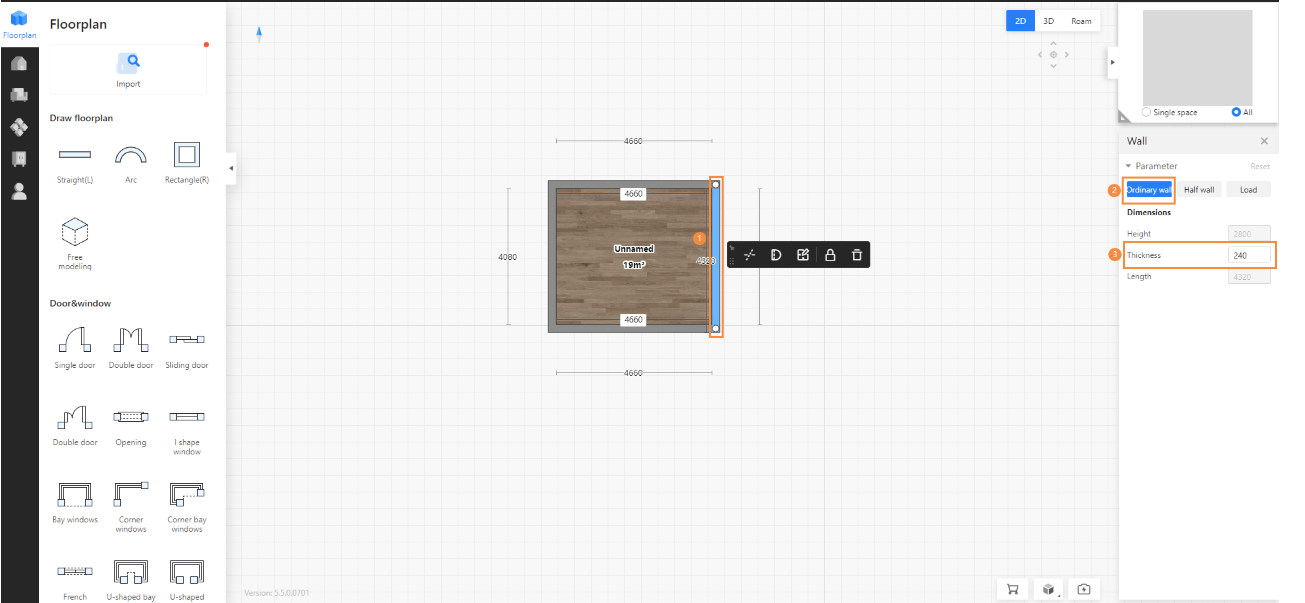
How to adjust the thickness of the wall
To change wall thickness, follow these steps:
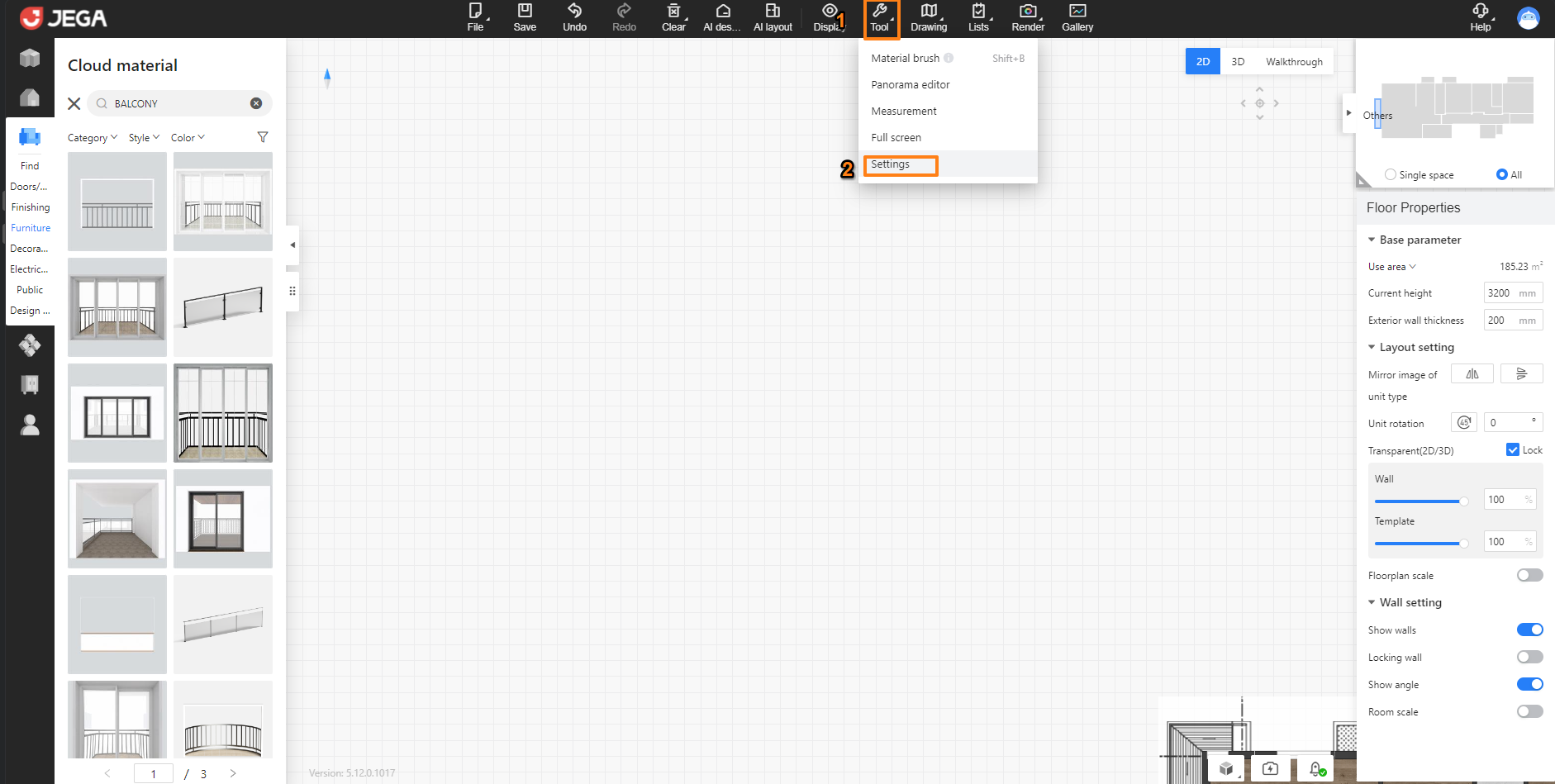
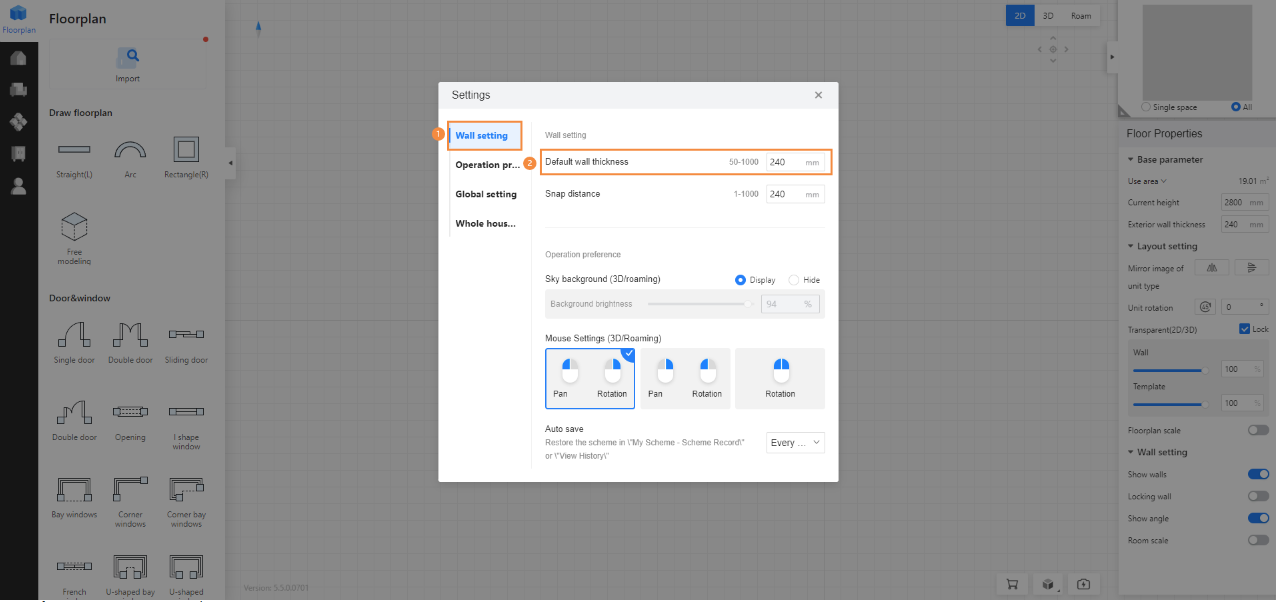
- Modify the thickness of all walls: Click on Settings – Wall settings – Modify wall thickness.
- Modify the thickness of a single wall: Select the wall, right-click on the Properties panel on the right side of the wall, and enter the wall thickness value.